BUILT FOR REAL DAYS
Less organizing. More momentum.
A long to-do list can record everything and still leave you asking, “What should I do first?” FirstNudge is made for people who abandon complicated planners, overbuild productivity systems, or get stuck deciding where to begin. It gives you a simple loop: capture what matters, review it, choose what you can handle, and begin one manageable action.
Capture without organizing first
Type or speak the whole messy thought. FirstNudge can organize one brain dump into editable task drafts, so you do not have to make the sentence neat before you begin.
Review before anything is saved
Check task titles, dates, and estimated time. Fix unclear details, remove anything that is wrong, and save only the tasks you want.
Choose what fits right now
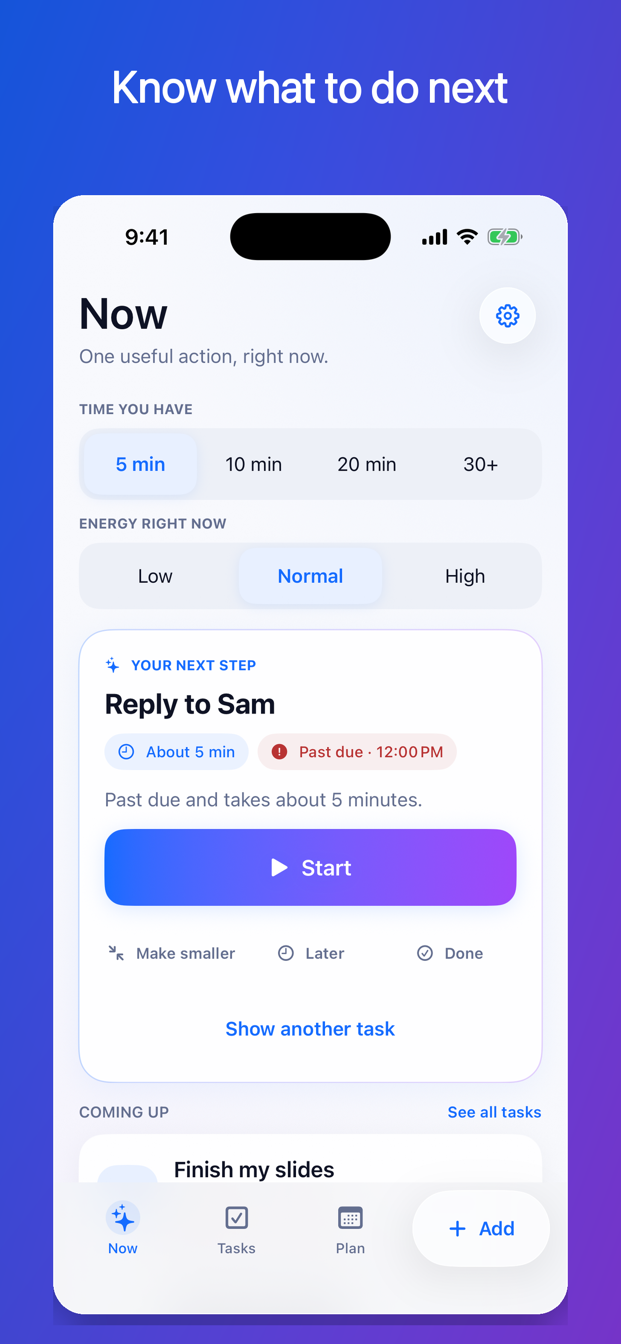
Select how much time you have and your current energy. FirstNudge recommends one eligible action while keeping overdue or time-sensitive work visible.
Make the first step smaller
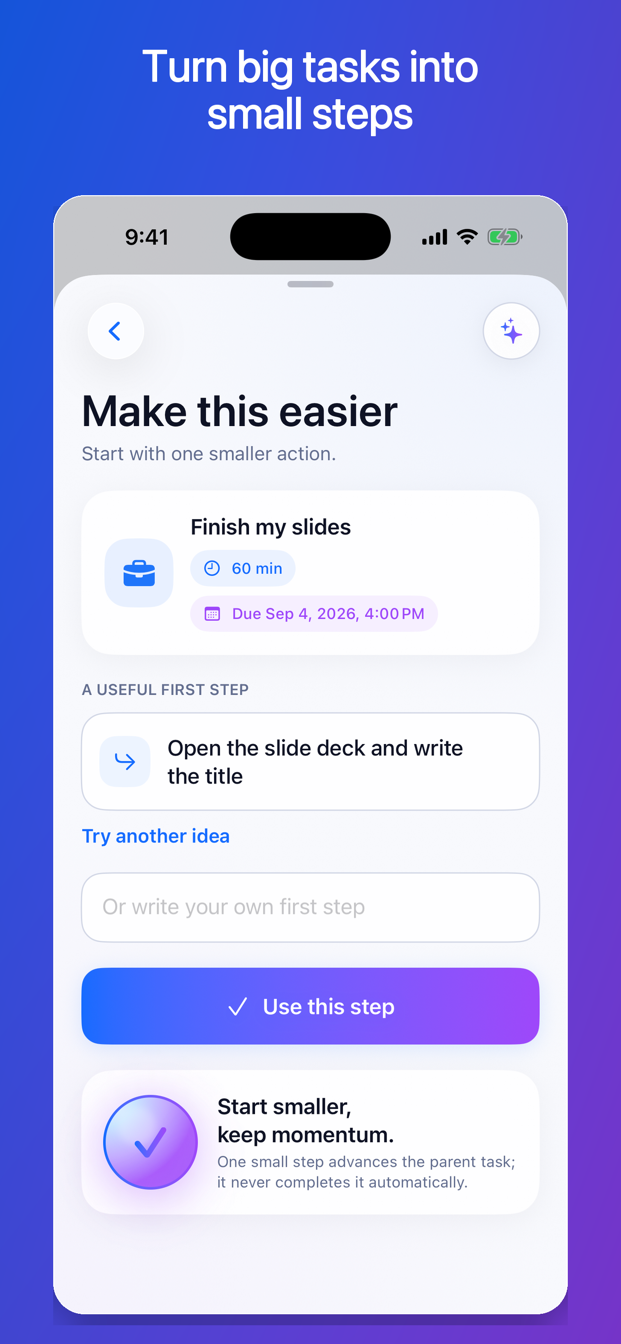
If the task still feels too big, ask for a concrete starting step. Completing a small step moves the task forward without pretending the whole task is finished.
BRAIN DUMP TO TASKS
Get it out of your head before you sort it out.
Start with ordinary language: “Reply to Sam tomorrow at noon, finish my slides Friday at four, return the shoes Sunday, and book a dentist appointment.” FirstNudge prepares separate drafts and shows the details that need confirmation. You stay in control of what becomes a task.
Learn how brain-dump capture works →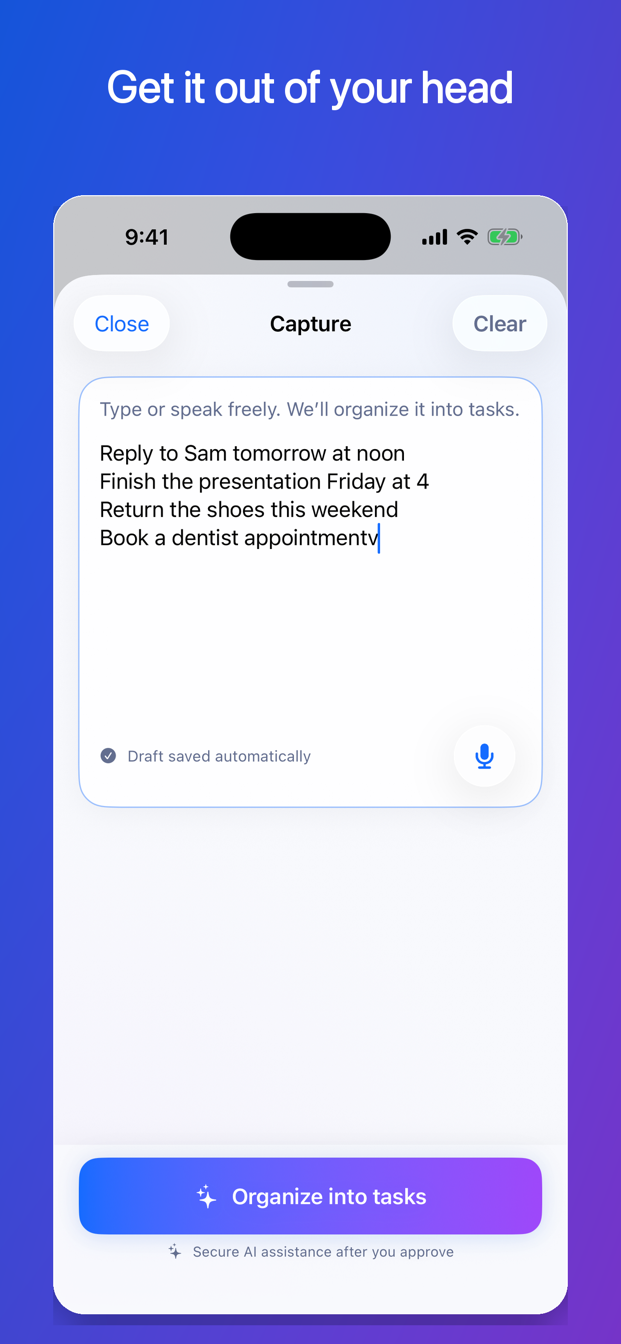
WHAT TO DO NEXT
One recommendation that fits your time and energy.
Five minutes and low energy call for a different next step than thirty minutes and high energy. Choose what you have available, see why a task was suggested, and start it—or choose another. A short time window does not make an urgent larger task disappear; FirstNudge can keep the risk visible and help you find a useful place to begin.
- Due tomorrow
- Fits 10 minutes
- You marked this important
- Waiting since last week
START SMALLER
Turn “work on it” into something you can actually do.
“Finish presentation” may be too vague to start. A smaller first step could be “Open the slides and write the three section headings.” FirstNudge keeps the parent task open, preserves its real deadline, and gives you a clearer starting point.
PLAN WITHOUT REWRITING REALITY
Decide when to work without moving what is due.
A deadline answers “When must this be finished?” A planned work time answers “When will I try to work on it?” FirstNudge keeps those dates separate. If you postpone a work session, the actual deadline does not silently move with it.
Understand deadlines and planned work times →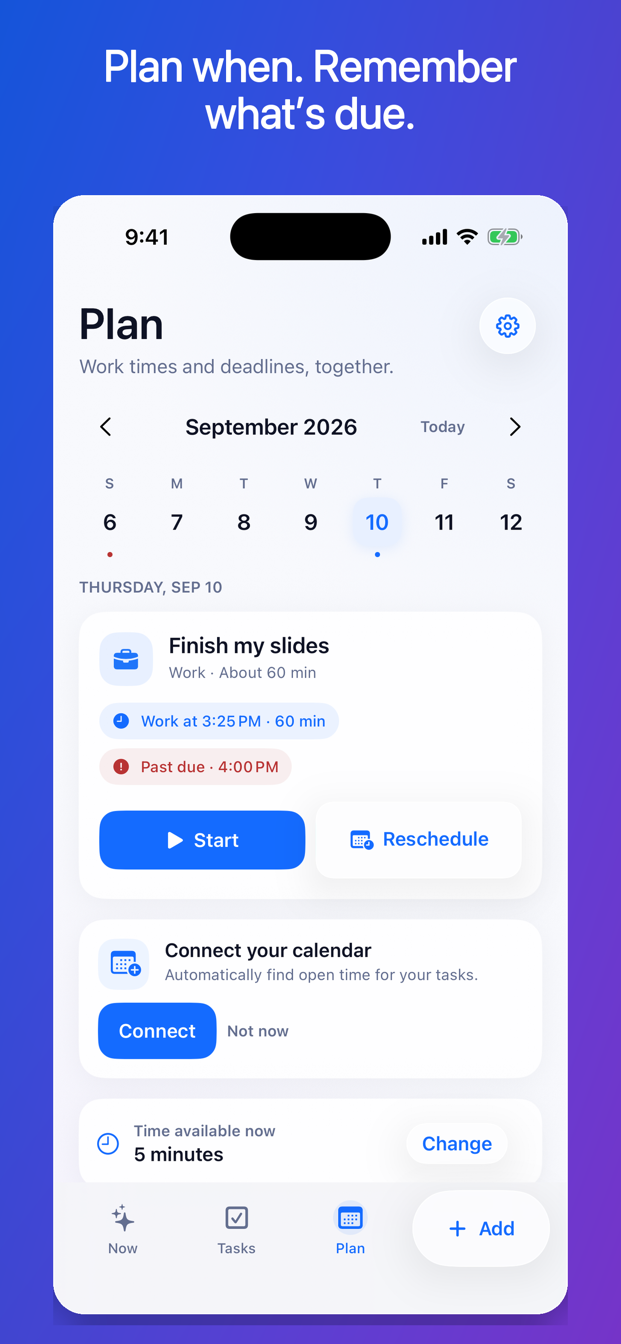
Start the task, not another planning session.
Begin a focus session from the recommended action. Pause when life interrupts, add time when you need it, and mark the work done only when you decide it is done. Optional reminders, morning and evening check-ins, recurring tasks, and a widget can help you return without turning your planner into another project.
START FREE
The manual workflow stays useful without Pro.
Create and edit tasks, search your list, use the Now recommendation, add steps, run focus sessions, create simple recurring tasks, set reminders, and use the basic widget for free. Free also includes 10 assisted actions per UTC calendar month. FirstNudge Pro raises the monthly assisted-action limit to 150 and adds calendar-aware planning suggestions and reusable multi-task routines.
Compare Free and ProLOCAL-FIRST BY DESIGN
Your whole task list is not sent away to choose what comes next.
Ordinary task management, search, the Now recommendation, focus sessions, calendar availability, and already-scheduled reminders use data on your device. When you request assisted organization or a smaller-step suggestion, FirstNudge sends only the text needed for that request, together with limited technical information needed to process and secure it. Calendar information is not included in assisted requests.
Read the Privacy Policy →Your list can wait. Your next step cannot.
Capture what is on your mind, choose what you can handle, and begin one useful action.
Download FirstNudge on the App Store